
Styles
101 tiles in the style browser, covering 91 render modes. 15 modes are free, 76 need Pro.
A style is one render mode plus the parameters it reads. A tile is one entry in the
browser. They are not the same count, because a few modes ship more than one tile: the ten Glass
textures are all the liquidglass mode with a different glassStyle pinned,
and Riso Pop is ASCII Studio with a palette pinned. Picking a tile sets the mode and applies that
tile's pinned parameters over the mode's defaults.
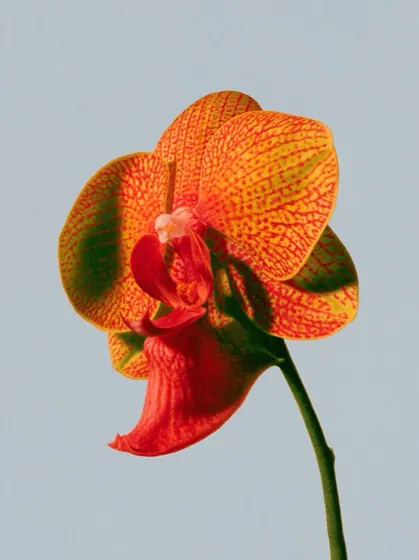
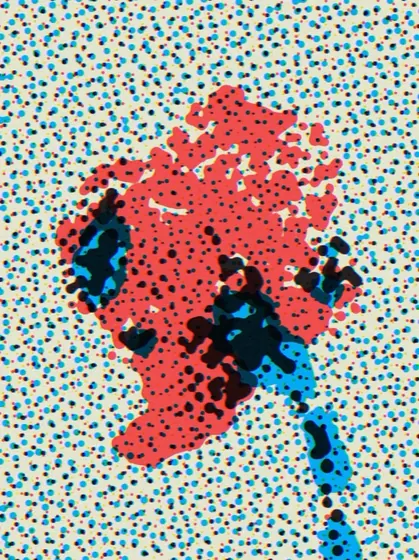
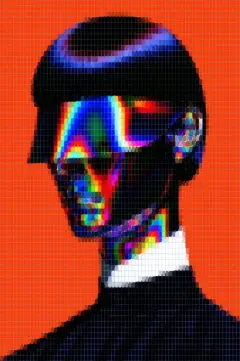
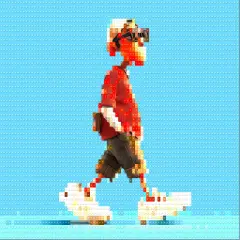
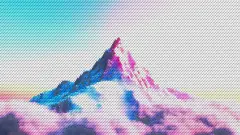
The free 15
These render without an account and without a watermark, at any export size.
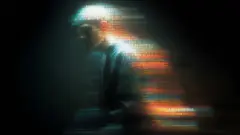
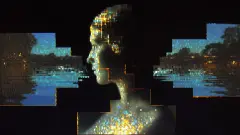
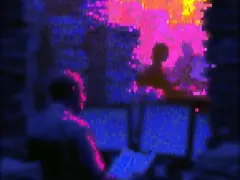
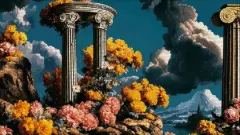
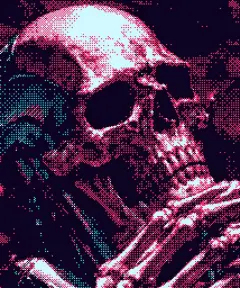
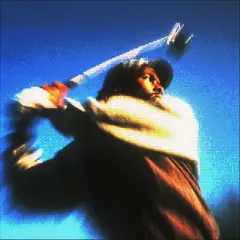
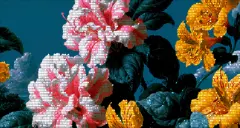
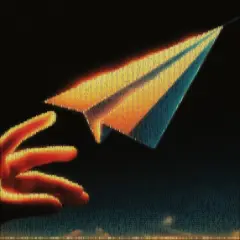
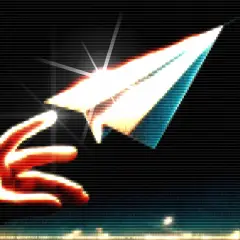
Every category
Ten categories, 101 tiles. Tier is per render mode, so every tile of a Pro mode is Pro.
ASCII and Text 6 tiles
| Tile | Mode id | Tier |
|---|---|---|
| Characters | characters | Free |
| ASCII Studio | asciiStudio | Pro |
| Block | block-chars | Free |
| Dots | dots | Free |
| Mixed | mixed | Free |
| Braille | braille | Free |
Pixel and Blocks 6 tiles
| Tile | Mode id | Tier |
|---|---|---|
| Pixel Art | pixel | Free |
| Mosaic | mosaic | Free |
| LEGO | lego | Free |
| Voxel | 3d | Free |
| Hex Mosaic | hexmosaic | Pro |
| LED Matrix | ledmatrix | Pro |
Print and Paper 16 tiles
| Tile | Mode id | Tier |
|---|---|---|
| Riso Pop | riso-pop on asciiStudio | Pro |
| Dither | dither | Free |
| Stippling | stippling | Pro |
| Risograph | risograph | Pro |
| Comic | comic | Pro |
| Sketch | sketch | Pro |
| Engraving | engraving | Pro |
| Warhol | warhol | Pro |
| Cyanotype | blueprint | Pro |
| Halftone | halftone | Pro |
| Woodblock | ukiyoe | Pro |
| Posterize | posterize | Pro |
| Mezzotint | mezzotint | Pro |
| Pointillize | pointillize | Pro |
| Crosshatch | crosshatch | Pro |
| CMYK Drops | halftonecmyk | Pro |
Geometric 15 tiles
| Tile | Mode id | Tier |
|---|---|---|
| Cross | cross | Free |
| Diamond | diamond | Free |
| Lines | lines | Free |
| Diagonal | diagonal | Free |
| Specimen | specimen | Pro |
| Low Poly | lowpoly | Pro |
| Droste | droste | Pro |
| Truchet | truchet | Pro |
| Iso Extrude | isoextrude | Pro |
| Flow Field | flowfield | Pro |
| Lattice | lattice | Pro |
| Topography | topography | Pro |
| Forms | forms | Pro |
| Schematic | schematic | Pro |
| Neon Grid | neongrid | Pro |
Distort 8 tiles
| Tile | Mode id | Tier |
|---|---|---|
| Smudge | smudge | Pro |
| Pinch | pinch | Pro |
| Spherize | spherize | Pro |
| Twirl | twirl | Pro |
| ZigZag | ripple | Pro |
| Ripple | zigzag | Pro |
| Polar | polar | Pro |
| Shear | shear | Pro |
Blur and Focus 4 tiles
| Tile | Mode id | Tier |
|---|---|---|
| Motion Blur | motionblur | Pro |
| Tilt-Shift | tiltshift | Pro |
| Gaussian Blur | gaussianblur | Pro |
| Radial Blur | radialblur | Pro |
Glitch and Signal 10 tiles
| Tile | Mode id | Tier |
|---|---|---|
| CRT Screen | crt | Pro |
| Pixel Sort | pixelsort | Pro |
| Forensics | forensics | Pro |
| Digital Distortion | glitch | Pro |
| Datamosh | datamosh | Pro |
| Lofi | lofi | Pro |
| RGB Split | rgbsplit | Pro |
| Scanline | scanline | Pro |
| Thermal | thermal | Pro |
| Beacon | beacon | Pro |
Light and Colour 11 tiles
| Tile | Mode id | Tier |
|---|---|---|
| Disco | disco | Free |
| Anaglyph 3D | anaglyph | Pro |
| Gradient Map | gradientmap | Pro |
| Prism | prism | Pro |
| Dreamdust | dreamdust | Pro |
| Light Wind | lightwind | Pro |
| Kaleidoscope | starburst | Pro |
| Warpbloom | warpbloom | Pro |
| Duotone | duotone | Pro |
| Edge Glow | edgeglow | Pro |
| Aberration | lens | Pro |
Glass 16 tiles
| Tile | Mode id | Tier |
|---|---|---|
| Frosted Glass | frostedglass | Pro |
| Tinted Glass | stainedglass | Pro |
| Shatter | shatter | Pro |
| Vitrine | vitrine | Pro |
| Glass Orb | glassorb | Pro |
| Fluted Glass | flutedglass | Pro |
| Cross Reeded | glass-cross on liquidglass | Pro |
| Hammered | glass-hammered on liquidglass | Pro |
| Diamond Glass | glass-diamond on liquidglass | Pro |
| Hexagon | glass-hexagon on liquidglass | Pro |
| Ripple | glass-ripple on liquidglass | Pro |
| Ice Crackle | glass-crackle on liquidglass | Pro |
| Chevron Prism | glass-chevron on liquidglass | Pro |
| Seedy Bubbles | glass-seedy on liquidglass | Pro |
| Glass Pixel | glass-pixel on liquidglass | Pro |
| Jello | glass-jello on liquidglass | Pro |
Material and Texture 9 tiles
| Tile | Mode id | Tier |
|---|---|---|
| Waves | waves | Pro |
| Oil Paint | oilpaint | Pro |
| Watercolor | watercolor | Pro |
| Chrome | chrome | Pro |
| Thin-Film | thinfilm | Pro |
| Marble | marble | Pro |
| Molten Metal | molten | Pro |
| Crystallize | crystallize | Pro |
| Emboss | emboss | Pro |
Shared parameters
Every glyph and cell-grid mode reads these. The defaults are the shipped values, checked against both default blocks in the engine state.
| Parameter | Default | Range | What it does |
|---|---|---|---|
fontSize | 11 | 3 to 80 | Cell size in pixels. The panel calls it Font Size, Dot Size, Pixel Size or Block Size depending on the mode, but it is one value. Smaller means more cells and more detail. |
charSet | @#S08Xx+=-;:. | 17 presets, or custom | The tone ramp, darkest glyph first. Only the Characters mode reads it. |
coverage | 100 | 0 to 100 | Does three different jobs depending on the family, see below. |
bgMode | blur | blur, solid, original, none | What sits behind the glyphs. none keeps alpha, which only PNG preserves. |
bgBlur | 8 | 0 to 60 | How hard the background is blurred. Blur mode only. |
brightness | 0 | -100 to 100 | Applied to the source before the tone is mapped to glyphs, not to the finished frame. |
contrast | 100 | -100 to 100 | Neutral is 0, so the shipped default of 100 is already a strong boost. Lower it before you decide a style is crushing your shadows. |
invert | false | toggle | Flips the tone-to-glyph mapping, so bright areas get the dense glyph. |
invertImage | false | toggle | A negative of the finished frame, applied last. Different from invert. |
Coverage is not one slider
The name is shared but the behaviour is not. Three families read it three ways:
- Colour-tile modes (Pixel Art, LEGO, Mosaic, Voxel, Disco) skip any cell darker than the threshold, so lowering it drops the dark cells and keeps the bright ones.
- Text and geometric modes use a deterministic per-cell hash cull, so lowering it thins the grid evenly rather than by brightness. Deterministic matters: the same cells drop on every frame, so an animation does not shimmer.
- Modes with no cell grid ignore it entirely. The slider still moves, and nothing changes.
If a slider appears to do nothing, check which family the mode belongs to before assuming it is broken. Coverage on a glass or blur mode is the most common case.
Character ramps
Only the Characters mode reads charSet. 17 presets ship, in four groups, and any
string can be typed in as a custom ramp. Order matters: darkest first, and the trailing space is
the lightest step, so dropping it removes the ability to render an empty cell.
| Preset | Group | Ramp |
|---|---|---|
| Standard | Classic | @#S08Xx+=-;:. |
| Classic ASCII | Classic | @%#*+=-:. |
| Ink | Classic | @&$%#?*+~:. |
| Minimal | Classic | █▄▀ |
| Forensic | Classic | built from a shared constant |
| Blocks | Blocks | █▓▒░ |
| Bars | Blocks | █▇▆▅▄▃▂▁ |
| Quadrants | Blocks | █▛▙▟▜▚▞▘▝ |
| Braille | Blocks | ⣿⣷⣦⣤⣠⣄⡄⠆⠄⠂ |
| Numeric | Coded | 8069453271. |
| Binary | Coded | 10 |
| Hacker | Coded | @#10Xx*+-. |
| Alpha | Coded | WMBHAXKOQwvcr:. |
| Dots | Glyphs | ●◕◑◔○∙·. |
| Geometric | Glyphs | █◆◼▲▼◇△▽·. |
| Math | Glyphs | #ΣΔΨΩ×÷+·. |
| Katakana | Glyphs | ハミヒツウシナモニサワオリアホテマケメー・ |
The Forensic ramp is special: picking that exact string switches the renderer onto a bitmap stamp path rather than drawing font text. Editing it by one character drops back to normal glyph rendering, which is the honest behaviour but can look like the preset broke.
The dither engine
Dither is free, and it is the deepest of the free modes: 15 algorithms and 15 palettes, which is 225 combinations before you touch any other parameter.
Algorithms
Three families, and the family matters more than the individual choice if you are exporting video.
Ordered (stable in animation)
| Algorithm | Id |
|---|---|
| Bayer 2×2 | bayer2 |
| Bayer 4×4 | bayer4 |
| Bayer 8×8 | bayer8 |
| Bayer 16×16 | bayer16 |
| Halftone (clustered dot) | halftone |
| Radial | radial |
| Horizontal Lines | linesH |
| Vertical Lines | linesV |
| Diagonal Lines | linesD |
Noise
| Algorithm | Id |
|---|---|
| White Noise | whiteNoise |
| Blue Noise | blueNoise |
Error-diffusion (organic, stills)
| Algorithm | Id |
|---|---|
| Floyd–Steinberg | floyd |
| Atkinson | atkinson |
| Stucki | stucki |
| Sierra Lite | sierraLite |
Error-diffusion algorithms carry each pixel's error into its neighbours, so a tiny change in one frame moves dots across the whole image in the next. On a still that is the look you want. On video it boils. Pick an ordered algorithm for anything that moves.
Palettes
| Palette | Id | What it is |
|---|---|---|
| Mono 1-bit | mono | Pure black and white, no midtones. |
| Grey 2-bit (4 levels) | grey4 | Four levels of grey. |
| Grey 3-bit (8 levels) | grey8 | Eight levels of grey. |
| Game Boy | gameboy | Eight colours, one bit per channel. |
| CGA Palette 0 | cga0 | The four-tone green of the original handheld. |
| CGA Palette 1 | cga1 | The cyan, magenta and white of CGA mode 4. |
| Pico-8 (16) | pico8 | The red, green and yellow alternative CGA set. |
| C64-ish (16) | c64 | The sixteen colours of the Pico-8 fantasy console. |
| NES-ish (16) | nes16 | Sixteen colours in the spirit of the Commodore 64. |
| 3-bit RGB (8) | rgb3 | Sixteen colours in the spirit of the NES. |
| Cyberpunk | cyberpunk | Eight pure RGB corners. |
| Pastel | pastel | Saturated magenta and cyan against near-black. |
| Risograph | riso | Low-saturation, high-value tints. |
| Sepia | sepia | Flat risograph inks. |
| Original colours (preserve) | original | Warm brown monochrome. |
Variants
Most styles ship one curated look. The free modes ship four each, Stippling ships four and Forms ships seven. A variant is a saved set of parameters for that mode, not a separate mode, so picking one and then moving a slider is normal use rather than a fight with a preset.
Over MCP the variant is an index: variant: 0 is the first look, and the render result
tells you how many that style has.
Where a style's own parameters live
Beyond the shared set, most modes add their own panel. Those parameters are documented in the editor next to the control, because they change with the mode you are on, and a full list of every per-mode parameter would be a list of several hundred entries that goes stale on every release. Two reliable ways to read the current set for a mode:
- Open the mode in the editor. The panel under the style grid is the complete set.
- Encode a recipe and decode it. The recipe format carries every non-default parameter by its real key, so a decode is a machine-readable dump of what that look actually set.
Last updated