
/RECIPE · MATRIX
Upload a photo. Get the Matrix aesthetic, green phosphor CRT screen, fine ASCII dots, glitch highlights and bloom, in one click. Free, no signup, no watermark, runs entirely in your browser. Export at up to 4× resolution or as an MP4 clip.
Copy recipe & open tool →/SEE IT
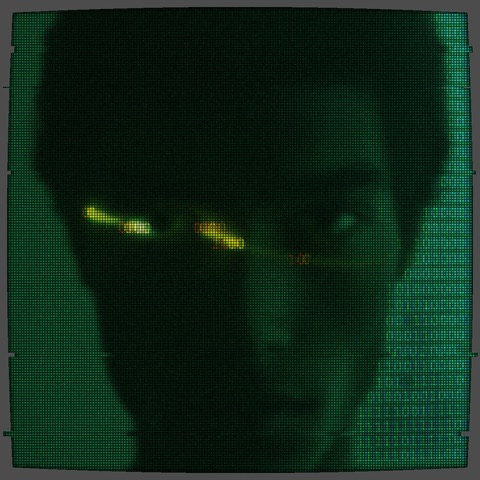
The Matrix recipe renders your source photo as a fine grid of green ASCII glyphs, applies CRT curvature so the whole frame bows like an old monitor, and adds yellow glitch highlights where the source has the sharpest contrast. The image below is a portrait rendered by the Matrix recipe.
/RECIPE ON SIX PHOTOS
One recipe, six sources. Same Matrix parameters (fine 01 glyph grid, acidic-green phosphor, halftone under-layer, RGB chromatic split, CRT curvature, film grain, bloom) applied to a portrait, landscape, hard-edge object, botanical, meditating figure and sky. Each keeps its subject recognisable while sitting inside the same green-screen aesthetic. Drop your own image into the tool and it takes about a second.
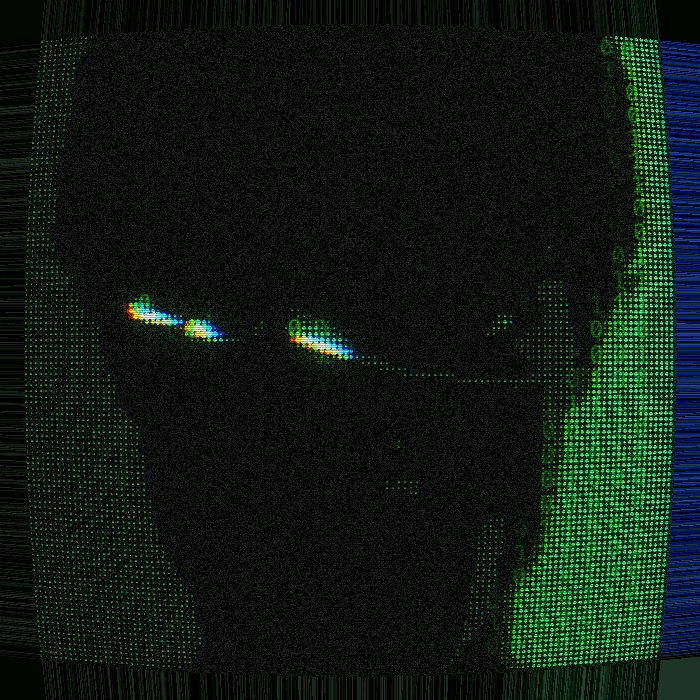


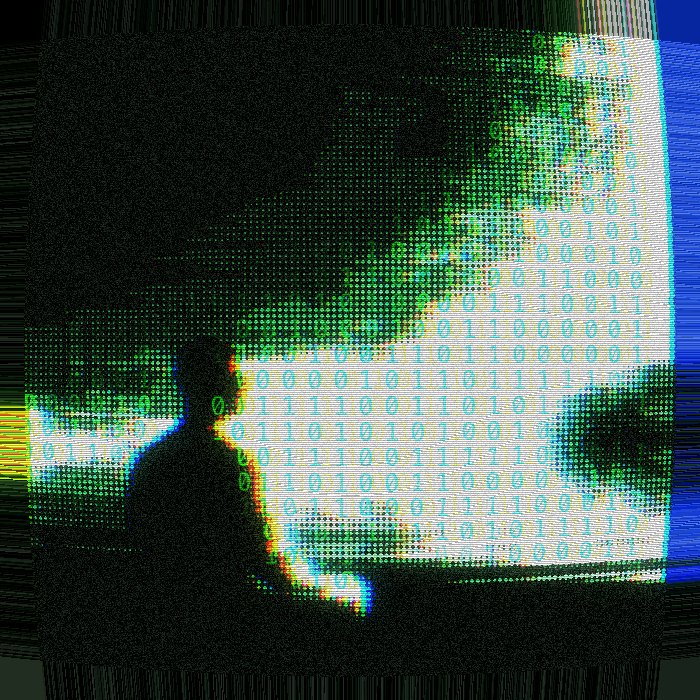

The same recipe deep-link on any photo you upload → try the Matrix effect on your own image.
/WHAT IT IS
The Matrix effect renders your photo as if it were showing on the terminal from the 1999 film. It does not overlay literal falling code streams on top of the source; instead it treats the whole image as one big green phosphor screen. Every part of the photo becomes a fine grid of ASCII glyphs, coloured in acidic green on a near-black background, with the CRT curvature bowing the edges outward and a glitch pass adding chromatic yellow highlights on the sharpest features. You upload; the browser does the render on the client side and hands you a still or a short animated version.
The look has aged well because it does one honest thing: it says screen. A face becomes a screen. A city skyline becomes a screen. That is why the Matrix aesthetic still shows up on album art, coding-YouTube thumbnails, and lock screens 25 years later. Some people search for a “matrix code generator” wanting exactly this photo-as-screen treatment; this recipe is that. If you want a pure falling code screensaver with no photo, a dedicated matrix rain tool is the better fit.
/RECIPE CODE
This is the exact code that reproduces every parameter of the Matrix effect. Copy it, open the tool, click Recipes in the top bar, paste, hit Apply. Your image renders with the recipe.
recipe:v1:eyJ2IjoxLCJmb250U2l6ZSI6NDIsImNoYXJTZXQiOiIwMSIsImNvdmVyYWdlIjo5NiwiZWRnZUVtcGhhc2lzIjo0MCwib3ZlcmxheUNvbG9yIjoiIzAwZmY2NiIsIm92ZXJsYXlPcGFjaXR5Ijo1OSwib3ZlcmxheUJsZW5kIjoib3ZlcmxheSIsInBmeCI6eyJzY2FuTGluZXMiOnsiZW5hYmxlZCI6dHJ1ZSwiaW50ZW5zaXR5IjoyOH0sImNydEN1cnZlIjp7ImVuYWJsZWQiOnRydWUsImludGVuc2l0eSI6MTB9LCJjaGFyQmxvb20iOnsiZW5hYmxlZCI6dHJ1ZSwiaW50ZW5zaXR5IjoxMDB9LCJjaGFyQ2hyb21hIjp7ImVuYWJsZWQiOnRydWUsIm9mZnNldCI6MTZ9LCJmaWxtR3JhaW4iOnsiZW5hYmxlZCI6dHJ1ZSwiaW50ZW5zaXR5IjoxMDB9LCJnbGl0Y2giOnsiZW5hYmxlZCI6dHJ1ZX0sInBpeGVsYXRlIjp7InNpemUiOjEzfSwiaGFsZnRvbmUiOnsiZW5hYmxlZCI6dHJ1ZSwic2l6ZSI6N319fQ
The tool's Recipes modal parses this code and sets every field: font size 42, char set 01, coverage 96, edge emphasis 40, overlay #00ff66 at 59% overlay-blend, plus scan lines 28, CRT curve 10, char bloom 100, char chroma 16, film grain 100, glitch, pixelate 13, halftone 7. Same parameters, every time.
/APPLY IT IN A SECOND
Copy the code above, open the tool, paste, drop your photo. Four clicks total.
Hit Copy recipe in the code block above. The Matrix recipe string is now on your clipboard.
Open the editor via the button below, then click Recipes in the top bar. A modal opens with a paste field. Paste your clipboard (Cmd+V / Ctrl+V) and hit Apply.
Drop your image on the canvas. Every parameter of the Matrix recipe is now applied. Hit Export for PNG at up to 4× resolution, or MP4 for a moving clip.
Or grab it from the recipes hub. Every recipe on the site is one tap away in the recipes collection. Open the hub, scroll to Matrix, hit Try this recipe, drop in your image. Same result, if you want to browse everything else while you are there.
/ANATOMY
#020304) and a single acidic green (#00ff41 to #40ffbf). Anything warmer breaks the illusion, except for a single yellow accent on the brightest points./HOW IT'S MADE
Open ASCII Magic, drop in a portrait, cityscape, product shot, or short clip. Portraits with strong side-light produce the crispest Matrix render, because the highlights become the glowing green edges. The recipe works on stills and up to 30-second videos.
Pick the Characters or Dots renderer at a fine cell size, around 120 cells across the long edge. This turns your photo into a grid of tiny glyphs that the eye reads as a phosphor screen from a distance and as a photo up close. Tighter feels like a security monitor, looser feels like ASCII art.
Set foreground to #00ff41, background to near-black. Push contrast until the mid-tones drop out. Add a soft-light green wash over the whole frame at about 15% opacity for the phosphor glow.
Apply CRT curvature so the corners bow outward like an old monitor. Add a glitch pass on the brightest regions to introduce yellow chromatic accents (the “glowing eyes” effect on portraits). Optional bloom on the brightest cells. Export as PNG at 2× or 4×, or as a looped MP4 for a video version.
/WALLPAPER · BACKGROUND · CYBERPUNK
Search demand for “matrix wallpaper” (1.6k/mo), “hacker wallpaper” (3.6k/mo), “matrix background” (1.9k/mo) and “cyberpunk aesthetic” (6.6k/mo) all lands on the same visual space this recipe fills: green phosphor characters over a dark ground, high contrast, terminal-lit. A phone or desktop lockscreen is one of the highest-impact places to use it. Because the render runs at 2× or 4× of your source resolution, you can pass in a portrait, cityscape or product shot at phone-screen aspect and export a matrix wallpaper (or hacker wallpaper, or cyberpunk background) that looks native to your device instead of a stretched screenshot. The recipe doubles as a matrix screensaver source, a code background, and a general-purpose cyberpunk aesthetic image, all from the same one-click recipe.
/WHERE TO USE IT
Faces read even under the code overlay, and the green pops against a dark thumbnail grid. Great for dev, DevOps and cybersecurity channels.
Electronic, drum-and-bass, industrial. The matrix code effect has cyberpunk-electronic connotations baked in for 25 years.
A one-frame Matrix version of your product shot signals “tech reveal” faster than any tagline.
Drop a headshot in, use it as the hero background. Cheaper and more original than a stock circuit-board.
/RELATED LOOKS
If Matrix pulls you in for the screen feeling, look at Retro CRT, same phosphor DNA, no falling code, quieter for portraits. If you want the digital-decay side without the green ideology, Lost Signal trades code streams for VHS chroma bleed and lost-signal snow. Both live inside the same Characters renderer as Matrix, see the Characters style page for every ramp, colour and density knob the recipe above uses.
/FAQS
/READY?
Upload a photo, get the Matrix code look with CRT scanlines, glitch and bloom. Runs in your browser, free forever, no watermark.
Copy recipe & open tool →/MORE RECIPES
Each opens the editor with that recipe ready. Browse the full recipes collection.