Q. What is the best free ASCII art generator?ASCII Magic is a free, browser-based ASCII art generator that runs entirely on your device. You drop in any photo or video, pick from 100+ art styles (ASCII, pixel art, photo mosaic, voxel art, halftone, glitch, LEGO and more), tune the look in real time, and export as PNG, GIF or MP4. No signup, no watermark, no usage limit.
Q. How do I convert an image to ASCII art online?Open ASCII Magic in your browser, drop your image into the editor, and pick the Characters style. The tool renders ASCII art live as you adjust the character ramp, density and contrast. Export as PNG, JPG or animated GIF when you're happy with it. Works with JPG, PNG, WebP and GIF input.
Q. Can I turn a video into ASCII art?Yes. Drop an MP4, MOV or WebM video file into ASCII Magic, pick a style, and every frame renders with the same look. Export the result as an MP4 or animated GIF. Works on videos up to 150 MB.
Q. Is ASCII Magic actually free?Yes, the core editor is free, no signup, no watermark, no export limit, no ads, and everything the tool could do before stays free. There is now an optional Pro plan that adds more for people who want it: the full 100+ effect and shader library, AI generative renders and 4K export. You never need Pro to use the core styles.
Q. Is ASCII Magic only for ASCII art?No. It started as an ASCII art generator, but it is now a full photo and video effects studio. Alongside classic ASCII you get pixel art, halftone and CMYK dots, dithering, photo mosaics, voxels, LEGO bricks, LED and Braille matrices, glitch and scanline looks, and 100+ styles and shaders in total, all rendered live in your browser.
Q. What photo and video effects can I apply?Pick from 100+ styles and shaders, then stack post-effects on top: vignette, scanlines, CRT curvature, chromatic aberration, RGB split, film grain, bloom, halftone and glitch. Add colour filters, lighting and lens flares. Every effect works on both photos and video frames and updates the preview in real time.
Q. Does ASCII Magic have AI generative effects?Yes. The Generative feature reimagines any photo with AI, from 1-bit dither and claymation to stained glass, oil portraits, neon signs and vaporwave. You steer it with a prompt, strength and resolution. It is part of the Pro plan, and unlike the local styles a generative render sends your image to an AI provider to be processed.
Q. What does ASCII Magic Pro unlock?Pro unlocks the full 100+ effect and shader library, AI generative renders, and exports up to 4K (4x source resolution). The core editor and the core styles stay free. See the
pricing page for current plans.
Q. Can I use ASCII Magic with AI agents or MCP?Yes. The ASCII Magic MCP server is live. Add
https://www.ascii-magic.com/mcp to Claude, Cursor or any MCP client, sign in with your ASCII Magic account, and your agent can convert images to ASCII, apply any of the 100+ styles, and export up to 4K. Free accounts get the free styles, Pro accounts get all of them.
Full setup guide .
Q. How do generative AI credits work?Generative AI renders use credits because each one is processed by an AI provider. The Pro plan includes 10 generative credits a month. Every local style, ASCII, pixel art, dither, mosaic, voxel and the rest, renders on your device and never uses a credit, so the core tool stays unlimited and free.
Q. Does it upload my photos or videos to a server?No. Every conversion runs locally in your browser using HTML5 Canvas. Your image or video never leaves your device, there is no server upload, no cloud processing, no third-party API. Safe for sensitive or unreleased work.
Q. How do I make pixel art from a photo?Open ASCII Magic and switch the style to Pixel Art. Every cell becomes a quantised colour block, posterised into a clean 8-bit-game look. Adjust the cell size and palette in the controls, then export as PNG.
Q. How do I make a dithered image online?Switch to the Dither style in ASCII Magic and any photo is re-rendered with dithering, quantised to a small palette with a visible dot or crosshatch pattern that fakes extra shades. Pick an algorithm (Floyd–Steinberg, Atkinson, ordered Bayer and more), choose a palette, and tune the pixel size live. See the full
dither guide .
Q. What dithering algorithms and palettes does ASCII Magic support?The Dither style ships 11 algorithms, including Floyd–Steinberg, Atkinson, Burkes, Stucki and Sierra error-diffusion, plus ordered Bayer matrices and halftone, and 16 palettes such as 1-bit black & white, Game Boy green, PICO-8, Commodore 64 and risograph, or build your own custom palette. You can also animate the dither matrix for a shimmering retro effect.
Q. Can I make a Game Boy or 1-bit retro filter?Yes. In the Dither style, choose the Game Boy green palette for the classic four-shade handheld look, or 1-bit black & white for a pure two-tone newspaper / e-ink aesthetic. Combine with a Bayer or Atkinson pattern and a small pixel size, then export at up to 4× resolution.
Q. How do I make a photo mosaic online?Use the
Mosaic style in ASCII Magic. The tool divides your photo into tiles and colours each one from the original. Choose square, wide or tall tile shapes. Mosaic outputs scale up to 4× source resolution and export as PNG or JPG.
Q. What is voxel art and how do I make it?Voxel art renders an image as stacked 3D cubes in isometric perspective, the same look as Minecraft or Crossy Road. In ASCII Magic, switch to the Cube style, adjust cell size and shading, and any photo becomes voxel art in one click.
Q. Can I use the exported art commercially?Yes. The output you create with ASCII Magic is yours, use it in social posts, posters, prints, client work, music videos, NFTs, anything. The only rights you need are whatever applies to the source image or video you uploaded.
Q. Does ASCII Magic work on mobile?Yes. The editor runs in any modern mobile browser (iOS Safari 16+, Chrome on Android). The UI reflows for touch, drop or tap to upload, pinch to zoom, tap to switch styles.
Q. How do I convert a photo to ASCII art?Open ASCII Magic in your browser, drop your photo into the editor, and pick a style (ASCII characters, dither, pixel art, mosaic, or any of the 100+ styles). The photo re-renders as ASCII in real time. Tune contrast, density and palette in the controls, then export as PNG, JPG, GIF or MP4. Everything runs locally, your photo is never uploaded.
Q. What file formats can I export?PNG and JPG for stills, animated GIF for short loops, and MP4 (H.264) for video. Stills export at 1×, 2×, 3× or 4× source resolution. Everything is encoded in-browser, no server step.
Q. How is ASCII art different from pixel art?ASCII art uses TEXT CHARACTERS (like @, #, *, .) mapped to image brightness, each character represents a tone.
Pixel art uses SOLID COLOUR BLOCKS arranged in a grid. ASCII reads like printed text, pixel art reads like a 8-bit videogame. Both are available as separate styles in ASCII Magic.
Q. How fast is ASCII Magic? Does it render in real time?Yes, every change renders instantly. Move a slider, swap a style, toggle a post-effect, and the preview updates within milliseconds. A still-image export takes 1-2 seconds; a 10-second video usually renders in 5-15 seconds depending on resolution and effects. No server round-trips because the entire engine runs in your browser via HTML5 Canvas.
Q. Can I share my exact look with someone else?Yes. Every setting, style, character ramp, density, post-effects, lights, animation, can be saved as a "recipe" code or a one-click share link. Send the link, the recipient opens it in their browser, and the editor loads pre-configured to your exact look. They drop in their own photo and get the same aesthetic. Recipes are short text strings (typically 150-300 characters) that fit in a tweet.
Q. What's the best ASCII art generator for designers and artists?ASCII Magic is built specifically for visual work: real-time preview, 100+ distinct styles, dozens of stackable post-effects (vignette, scanlines, CRT curvature, chromatic aberration, RGB split, film grain, halftone, bloom, glitch), animated ASCII presets, lighting and lens flares, and high-resolution exports up to 4× source size. The output is commercially usable, watermark-free, and works for posters, wallpapers, social, client work, music videos, and UI/UX mockups.
Q. Do I need to install anything?No. ASCII Magic is a website, open it in any modern browser (Chrome, Safari, Firefox, Edge) and it works instantly. Nothing to download, no extension, no account. Works on Mac, Windows, Linux, iOS and Android.
Q. Can I make halftone posters or retro CRT-style images?Yes. Pick the Dots or Halftone style for halftone-print effects, or use the Characters style and stack the CRT Curvature, Scan Lines, and Film Grain post-effects for a retro CRT/VHS look. Glitch and RGB Split add the broken-signal aesthetic. Export at up to 4× resolution for print.


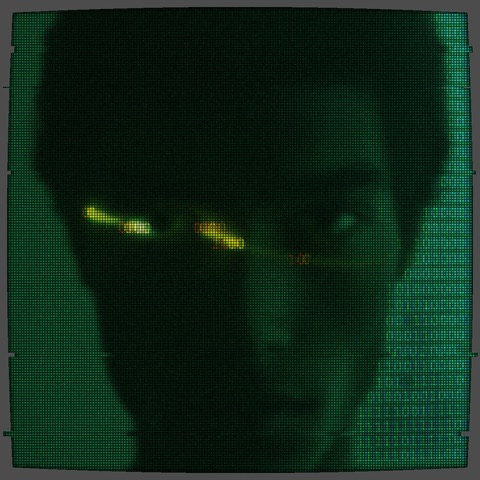 Matrix Code Generator
Green ASCII 01 code on your photo, CRT scanlines, phosphor bloom and vignette.
Matrix Code Generator
Green ASCII 01 code on your photo, CRT scanlines, phosphor bloom and vignette.
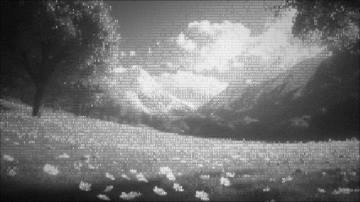 Film Noir Photo Filter
High-contrast black & white ASCII characters with film grain, dust and a heavy vignette.
Film Noir Photo Filter
High-contrast black & white ASCII characters with film grain, dust and a heavy vignette.
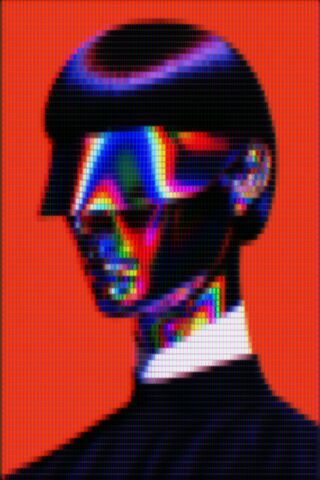 Vaporwave Aesthetic
Mosaic tiles with a magenta cast, chromatic drift, scanlines and bloom. 80s aesthetic.
Vaporwave Aesthetic
Mosaic tiles with a magenta cast, chromatic drift, scanlines and bloom. 80s aesthetic.
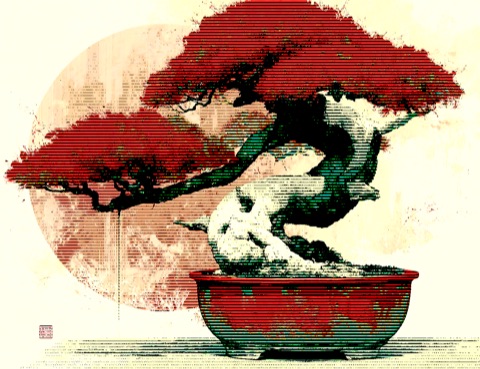 Bonsai Dither
Horizontal-line dither in a warm vintage palette, with a slow drift.
Bonsai Dither
Horizontal-line dither in a warm vintage palette, with a slow drift.
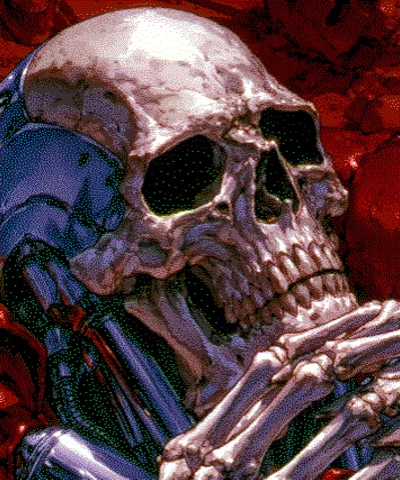 C64 Palette Dither
Commodore-64 palette dither, chunky retro pixels.
C64 Palette Dither
Commodore-64 palette dither, chunky retro pixels.
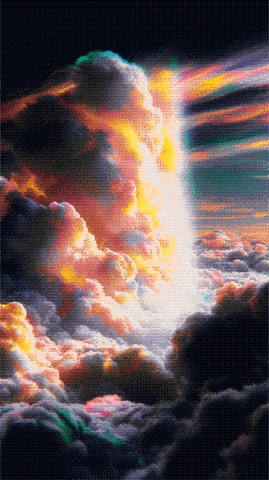 Cloud Filter
Bayer-8 dither in the PICO-8 palette over billowing clouds.
Cloud Filter
Bayer-8 dither in the PICO-8 palette over billowing clouds.