
/STYLE · ASCII STUDIO
ASCII Studio is the shape-dither look from ASCII Magic, now its own mode. Drop in a photo and it is redrawn as designed marks or characters, coloured through a palette on a solid black backdrop so the colours pop. A seeded randomizer drives the whole colour, levels and grade look, so one click reshuffles a fresh composition. Free, browser-based, no signup.
Open the editor →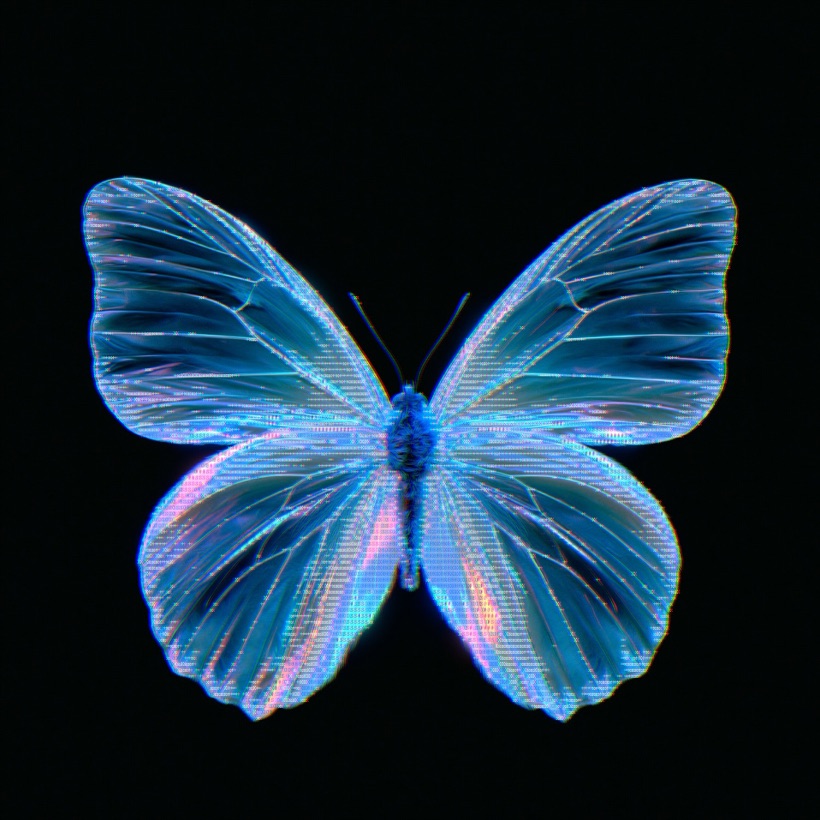
/PRO EFFECT
ASCII Studio is one of the Pro effects, so there is no in-page editor for it here. Everything below describes exactly what it does and what it is good for, and you can see it running on your own images inside the studio with Pro.
What it does
The free styles on this site all have a working editor on their own page. This one is part of Pro, along with 4K export, video and the AI generative presets.
/WHAT IT IS
ASCII Studio started life as the shape-dither look tucked inside the Characters style. It is now a render mode of its own, so it is easier to reach and easier to push. Point it at any photo and it rebuilds the picture out of small designed marks, or out of text characters, and colours every mark through the palette you choose.
By default the marks sit on a solid black backdrop, which is what makes the palette read so cleanly, the colours have nothing to fight with, so they pop. The result lands somewhere between a dither, a halftone and a graphic poster: a photo you can still recognise, rebuilt entirely from a controlled set of shapes and colours. Because everything renders live in your browser, you see each change the moment you make it, and nothing about your image is uploaded to a server.
/HOW IT WORKS
Drag any JPG, PNG or WebP into the editor and switch the render mode to ASCII Studio. Nothing uploads, your file stays in the browser.
Set Glyph to Shapes or Characters, choose a palette, and your photo is instantly redrawn as coloured marks on a black backdrop.
Hit Randomize for a fresh look, or set a Seed and Apply to lock one in. Export as PNG, JPG, GIF or MP4.
/CONTROLS
ASCII Studio keeps a small, focused set of controls so the look stays quick to steer. Here is what each one does.
/RANDOMIZER
The seeded randomizer is what makes ASCII Studio fun to explore. Instead of nudging a dozen sliders by hand, you press Randomize and the tool reshuffles the whole look at once: the palette, the levels and the grade all move together to a new seed. Keep tapping it and you flip through fresh compositions until one clicks.
Because every look is driven by a plain number, it is fully reproducible. When you land on something you like, note the Seed, and typing that seed back in and pressing Apply rebuilds the same composition exactly. That makes the randomizer both a discovery tool and a way to pin a look you can return to, or hand to someone else, later.
/TIPS
Tap Randomize to explore fast, and the moment a look clicks, note the Seed and press Apply so you can reproduce it exactly later.
The palette is doing most of the work, since every mark is coloured through it. Try a few palettes before touching anything else; a swap can completely change the mood.
The solid black backdrop is what makes the colours pop. Leave it for maximum contrast, or use Blend Mode and Opacity to soften how the marks sit on it.
Switch Glyph to Shapes for a bold, poster-like read, or to Characters when you want a finer, text-built grain. Cell Size then trades detail for boldness.
/USE CASES
The palette-on-black look reads as a graphic print. Blow it up for wall art, event posters or zine pages with real impact.
Turn a band photo or a texture into a distinctive cover. The seeded randomizer makes it easy to spin variants for a whole release.
Feed in a portrait and pick a palette that matches your handle. A square, palette-driven avatar that stands out in any feed.
Pin a brand palette and run your imagery through it for a consistent, designed look, plus animated loops when you switch on Studio motion.
/ANIMATION
ASCII Studio does not have to stay still. Open the Animation tab and you will find a set of Studio motion presets built for this style, so a single frame turns into a living loop. There are five to choose from:
Pick a preset, and your still composition animates in the preview straight away. When it looks right, export it as a looping GIF or an MP4.
/EXPORT
When your design is ready, export it in the format your project needs. Stills save as PNG or JPG, ideal for covers, avatars and print. Animated looks, once you add a Studio motion preset, export as an animated GIF or an MP4 for social, video and the web.
Everything runs in your browser on the free core plan, with no signup, and your photo never leaves your device. Because the seed travels with the look, you can always come back, reproduce the exact composition and export it again at any time.
/FAQS
/CREATE ART IN SECONDS
Shapes or characters, coloured through a palette on a black backdrop, with a seeded randomizer and Studio motion. Every change previews instantly. Free, no signup.
Try it out now/RELATED STYLES
Each opens the editor with that style ready. Explore the full styles index.