
/STYLE · CMYK DROPS
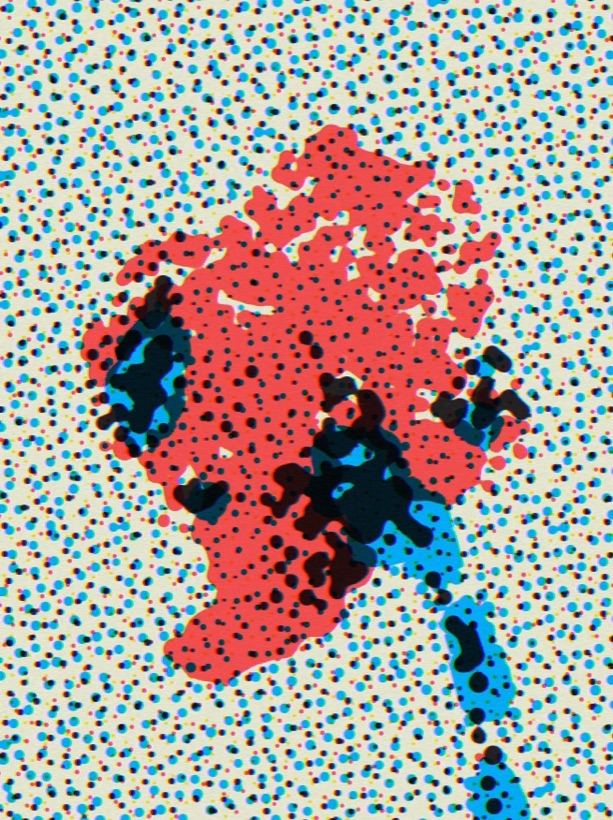
Turn any photo into a real CMYK halftone print. CMYK Drops separates your image into cyan, magenta, yellow and black process inks over a paper colour, then rebuilds it from thousands of overlapping halftone dots, exactly like an offset press. Choose round dots, hard dots or bleeding ink drops, tune the cell size and per-ink gain, and export a print-ready image, all in your browser.
Try this style →CMYK Drops is a Pro style. See plans →
/PRO EFFECT
CMYK Drops is one of the Pro effects, so there is no in-page editor for it here. Everything below describes exactly what it does and what it is good for, and you can see it running on your own images inside the studio with Pro.
What it does
The free styles on this site all have a working editor on their own page. This one is part of Pro, along with 4K export, video and the AI generative presets.
/WHAT IT IS
CMYK Drops is a real CMYK halftone print shader. Instead of stamping a dot texture on top of your photo, it does what a printing press does: it separates your image into the four process inks, cyan, magenta, yellow and black, lays them over a paper colour, and rebuilds the picture from overlapping ink dots.
Because the four ink screens sit at slightly different angles and overlap, you get the same rosette pattern and rich, faintly misregistered colour of genuine process printing. It is the difference between a photo that looks like it was posted online and one that looks like it was pulled off an offset press. Set the dot type to Ink with a large cell and the dots bleed into each other for a gorgeous, wet-droplet look, which is where the style gets its name.
/HOW IT WORKS
Drag any JPG, PNG or WebP into the editor. Nothing uploads, your file stays in the browser.
Select the CMYK Drops style. Your photo is separated into cyan, magenta, yellow and black ink dots over paper straight away.
Choose a dot type, set the cell size, contrast and ink gains, then export a high-resolution, print-ready image.
/CONTROLS
Every part of the print is adjustable and recomputes live. Set the five inks, choose how each dot is drawn, then shape the screen with the sliders.
Paper is the colour behind everything, and Cyan, Magenta, Yellow and Black are the four process inks. Warm the paper toward cream, swap black for a deep navy, or push the inks toward a risograph pairing. The separation updates as you change any swatch.
Choose how each halftone cell is rendered. Dots draws clean round halftone dots. Sharp gives hard-edged dots for a crisp, mechanical screen. Ink lets the dots bleed and pool like wet process ink, the bleeding-droplet look.
The sliders fine-tune the screen:
/TIPS
For the signature wet-ink drops, set Dot Type to Ink and turn the cell Size up. Large ink cells overlap and pool into soft droplets instead of tidy dots, this is where CMYK Drops earns its name. Add a little Grid Noise so the drops fall slightly off-grid, raise Contrast for punchier ink, and lift Min Dot if you want the highlights to keep a light stipple rather than dropping to bare paper. Nudge the per-channel Ink Gain to make one ink dominate, a heavier magenta reads warm and comic-like, a heavier cyan reads cool and editorial. When you want a cleaner offset look instead of drops, switch to Dots or Sharp and take the Size back down for a fine, precise screen.
/USE CASES
The limited-ink, slightly off-register look is exactly the riso and zine aesthetic. Recolour the inks to real riso pairings, coarsen the dots, and print.
Genuine process-print dots scale up cleanly for posters, covers, packaging mockups and merch, with the tactile feel of real ink.
Coarse halftone dots over paper give the classic newsprint comic and pop-art feel, Ben-Day dots without tracing them by hand.
A fine CMYK screen adds a printed, tactile quality to editorial spreads, magazine layouts and cover art.
/EXPORT
When the screen looks right, export a high-resolution PNG or JPG at up to 4x source resolution, with no watermark, ready to drop straight into a print layout. If you loaded a video as your source, you can export it as an MP4 or GIF instead. Everything renders locally in your browser using HTML5 Canvas, so your image never leaves your device, no upload, no cloud processing.
/FAQS
/PRINT IT
Cyan, magenta, yellow and black ink dots over paper, with round, sharp or bleeding-ink drops. Tune every ink live, then export a print-ready image.
Try CMYK Drops now/RELATED STYLES
Each opens the editor with that style ready. Explore the full styles index.